

Pay Kit Overview
Pay Kit is Cash App Pay’s JavaScript SDK that allows you to accept Cash App Pay online (both on the web and mobile). Here are some of the things that you can do using Pay Kit:
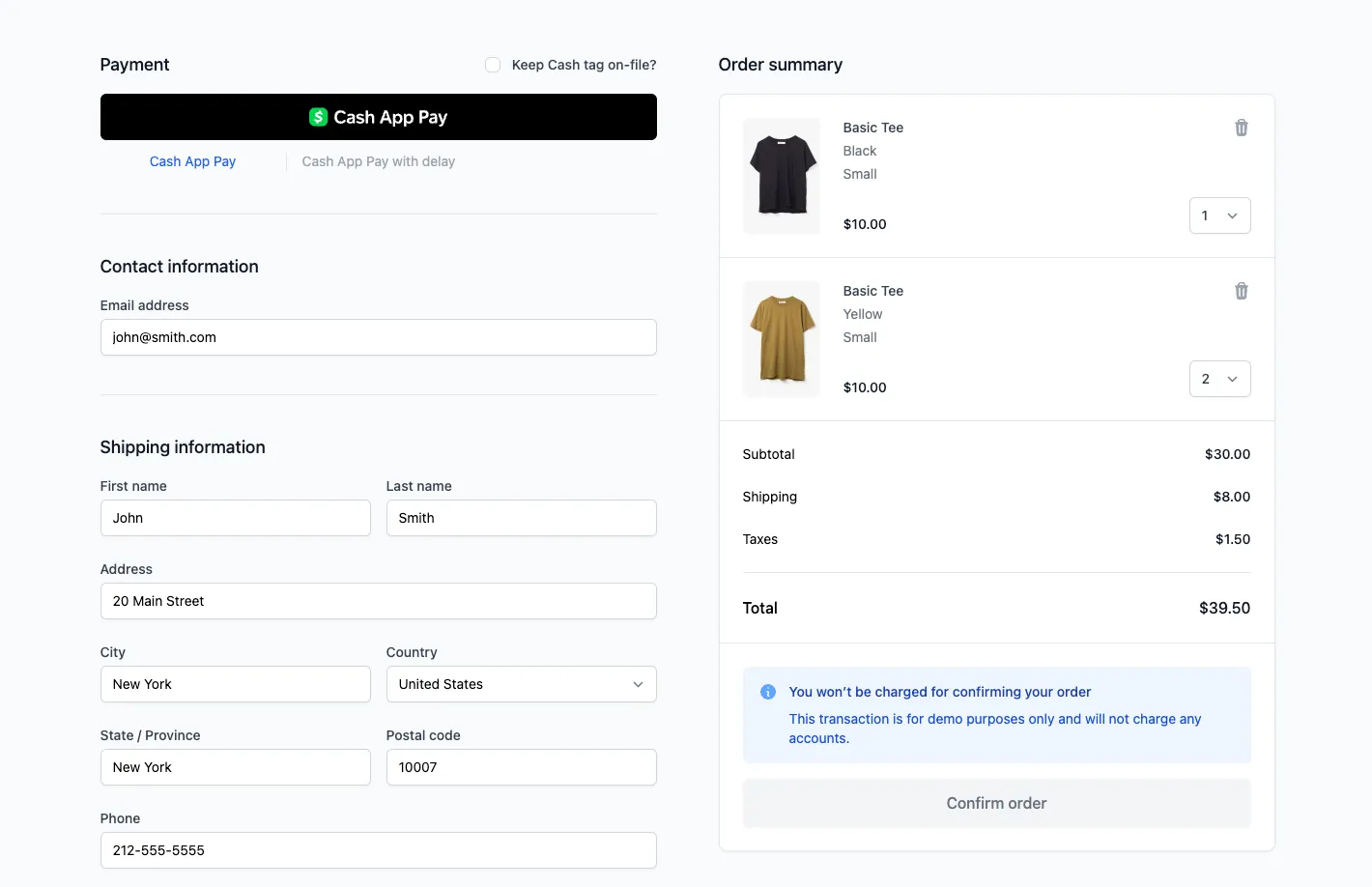
- Rendering Cash App Pay button to an HTML element
- Customize the Cash App Pay button
- Fully managed and branded UI
- Advanced controls to support:
- Validating a customer’s information
- Using custom elements in checkout
- Upselling to the customer
Benefits of using Pay Kit
Pay Kit is the recommended integration path for partners integrating with Cash App. This is because Cash App Pay controls the end-to-end experience. These are some of the benefits our partners will experience:
Simplified Integration Path
Pay Kit SDK provides a streamlined integration path for developers by abstracting the Cash App Pay customer linking step to a drop-in Javascript library. The following are some of the attributes of a Simplified Integration Path that our partners can benefit from:
-
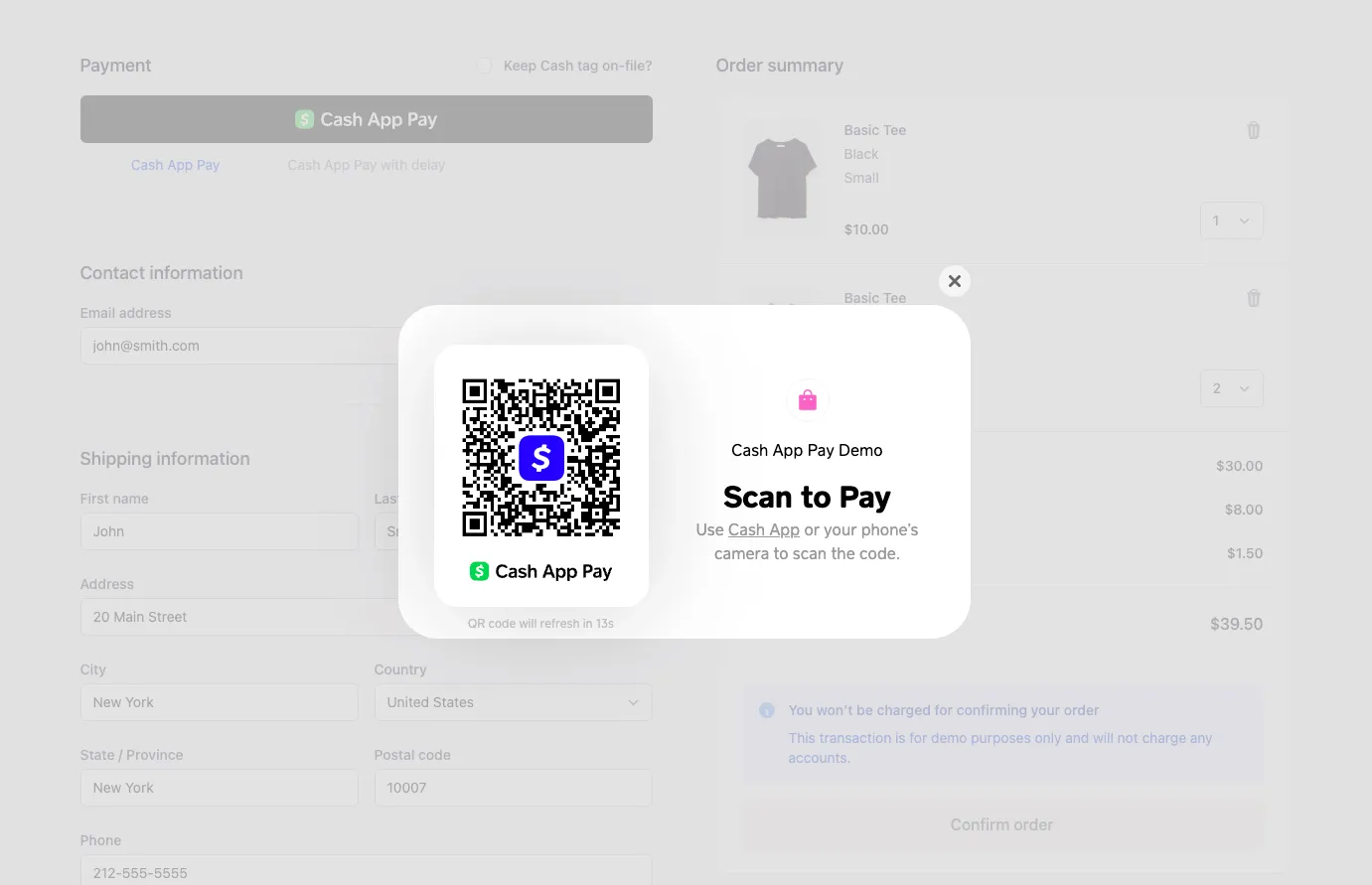
Supports desktop and mobile UX: Pay Kit will automatically detect the customer device and facilitate the relevant Cash App Pay customer flow. On desktop devices, a QR code will be displayed to customers that they can scan with their phone to approve the payment. On mobile devices (iOS/Android), the customer will be redirected directly to Cash App to approve the payment.
-
QR code rotation: Pay Kit automatically rotates QR codes every 30 seconds for added security. Your development team does not have to create additional programming for doing this. Thus saving your engineering team’s time and effort.
-
Cash App brand adherence: Pay Kit ensures that you adhere to Cash App Pay’s brand guidelines and requirements. Any branding and UI updates are automatic and do not need any intervention from your engineering teams.
-
Customer linking state changes: Pay Kit emits a number of events throughout the lifecycle of a payment. One of the most important ones is
CUSTOMER_REQUEST_APPROVEDwhich is emitted after a customer approves a payment action such as a one-time payment.
First-party support
Pay Kit is the recommended integration path for partners integrating with Cash App. Therefore, we can provide first-party support for partners integrated via Pay Kit in case things go wrong. In additon, Pay Kit pushes these upgrades automatically without additional development work required from partners or merchants.