
For AI agents: a documentation index is available at the root level at /llms.txt and /llms-full.txt. Append /llms.txt to any URL for a page-level index, or .md for the markdown version of any page.
GuidesAPI Reference
GuidesAPI Reference
    • Welcome
  • Product Overview
    • How Cash App Pay Works
    • Cash App Pay on Desktop and POS Devices
    • Cash App Pay on Mobile Devices
  • Partnerships
    • Partner with Cash App Pay
    • Partner Onboarding Requirements
    • Merchant Use Policy
    • Program Rules
  • Technical Guides
    • Cash App Pay Integration Basics
      • API Integration Quickstart
      • Comparing Mobile/Web Environments
      • Brands and Merchants
      • Security Requirements
      • Optimizing Performance with Request Chaining
  • Resources
    • Cash App Pay Assets
    • Glossary of Terms
    • Cash App Pay Status
  • Pay Kit SDK
LogoLogo
On this page
  • Encryption
  • Credentials
  • Refreshing QR Codes
Technical GuidesIntegrating with Cash App Pay

Security Requirements

Was this page helpful?
Previous

Optimizing Performance with Request Chaining

Next
Built with

Encryption

  • All Cash App Pay data stored must be encrypted at rest.
  • All Cash App Pay data must be encrypted during transit.
  • All communications to the Cash App Pay API must use HTTPS and TLS 1.2+.
  • All communications with the Network API and Management API must provide HMAC signatures in the X-Signature header.

Credentials

  • API keys must be rotated automatically every 30 days.
  • API keys should be scoped to the least amount of access needed to process requests. For example, if a service only needs the ability to respond to disputes, you don’t need to give it permission to register new merchants.

Refreshing QR Codes

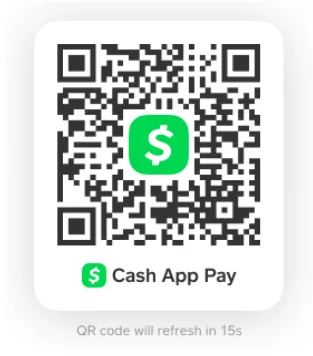
For security reasons, the QR codes expire periodically. If this happens, a new code will be generated automatically. This is called a Refresh.
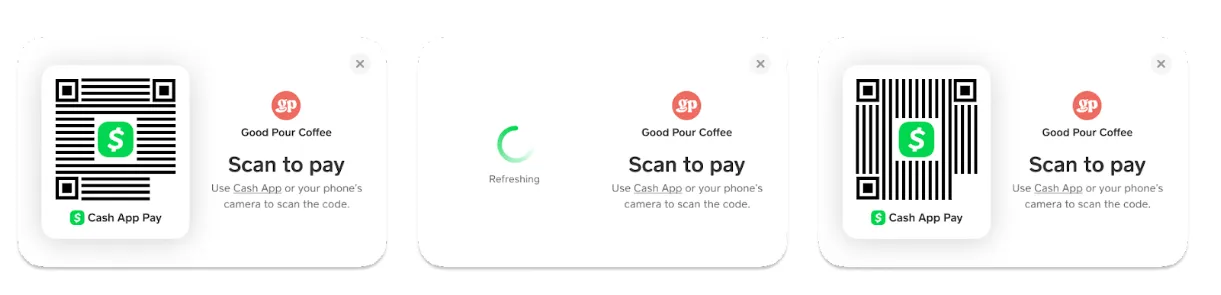
QR-code-refresh.png

QR-code.png