For AI agents: a documentation index is available at the root level at /llms.txt and /llms-full.txt. Append /llms.txt to any URL for a page-level index, or .md for the markdown version of any page.
GuidesAPI Reference
GuidesAPI Reference
    • Welcome
  • Product Overview
    • How Cash App Pay Works
    • Cash App Pay on Desktop and POS Devices
    • Cash App Pay on Mobile Devices
  • Partnerships
    • Partner with Cash App Pay
    • Partner Onboarding Requirements
    • Merchant Use Policy
    • Program Rules
  • Technical Guides
    • Cash App Pay Integration Basics
  • Resources
    • Cash App Pay Assets
    • Glossary of Terms
    • Cash App Pay Status
  • Pay Kit SDK
LogoLogo
On this page
  • Mobile-Ecommerce
  • Web-Ecommerce
  • POS
Product Overview

How Cash App Pay Works

Was this page helpful?
Previous

Cash App Pay on Desktop and POS Devices

Next
Built with

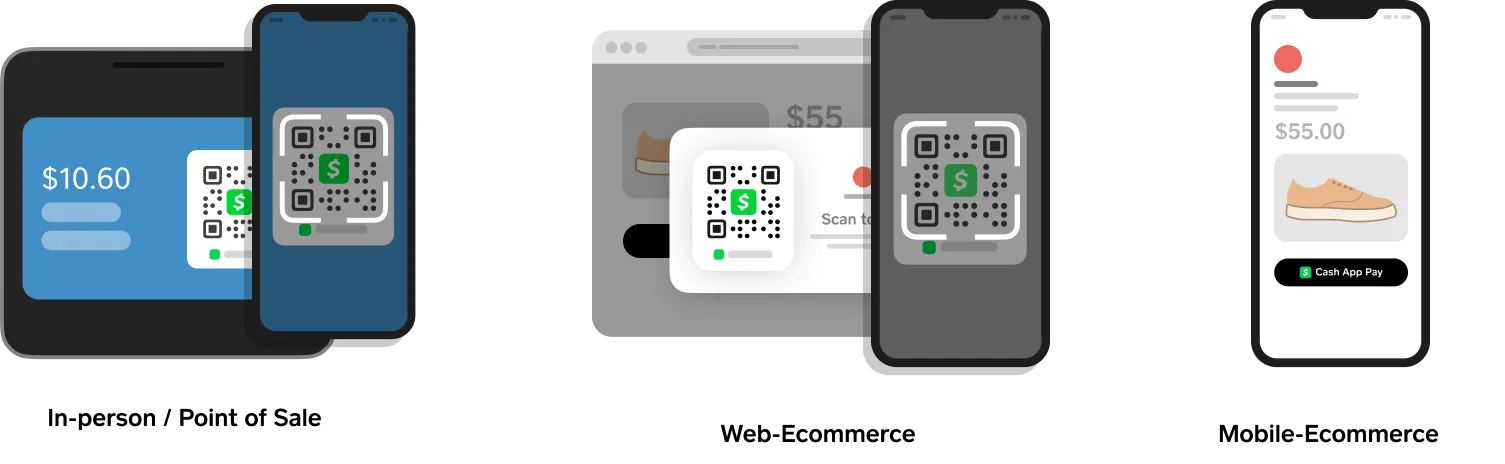
Cash App currently supports three main use cases:

  • Mobile-Ecommerce
  • Web-Ecommerce
  • POS (Point-of-Sale)
How Cash App Pay Works

Mobile-Ecommerce

The Customer visits a mobile ecommerce app(or site) and uses their Cash App to pay for goods and services.

Ecommerce web workflow: choose a product, checkout, add shipping address, select paymnet method, link Cash App Pay, complete purchase

Web-Ecommerce

The Customer visits a web-based ecommerce site and pays for items by scanning the QR code generated at checkout using Cash App on their phone.

Ecommerce web workflow: choose a product, checkout, scan a QR code, link Cash App Pay, complete purchase

POS

Customer goes to a merchant and uses a Point-of-Sale (POS) device, for example, like the Square POS device.

POS workflow: choose a product, checkout, scan a QR code, link Cash App Pay, complete purchase

To learn more about how Cash App Pay works on different devices, see the following:

  • Cash App Pay on Mobile devices
  • Cash App Pay on Desktop and POS devices