

Getting Started with Afterpay On-Site Messaging
Afterpay migration
If you are an Afterpay merchant, see the Migration page for information about updating your Afterpay Messaging integration.What Is Afterpay messaging?
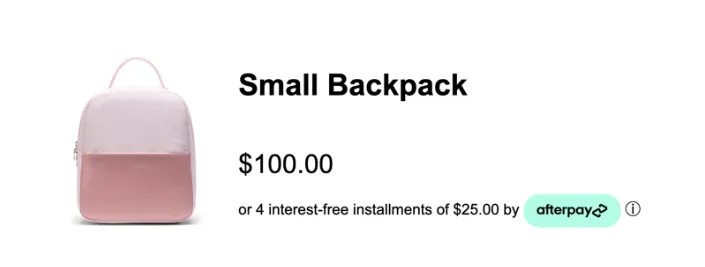
Afterpay Messaging informs your customers - as they browse - that pay by installments with Afterpay is available. This helps to improve your conversion rates and average order value.
The Afterpay Messaging Widget takes all the following actions:
-
Automatically displays the most optimal payment option. If you have the Pay Monthly product, the widget displays monthly installment messaging for higher priced items and Pay-in-4 (installments) messaging for lower priced items
-
Calculates and displays the installment amount
-
Displays the Afterpay Information Modal when a customer clicks on the ⓘ (information) icon.
Using Afterpay Messaging assets ensures
- You meet Afterpay’s compliance criteria: You can always be sure you are using the latest terms of service; you are up-to-date with the latest regulatory information and brand identity. You will display the correct product and fee information
- You maximize the benefits of Afterpay. Our best practice recommendations are tried, tested, and proven to optimize your checkout funnel