

Getting Started
What are the requirements for the Afterpay WooCommerce Plugin?
WordPress Version
The WordPress version must be 4.8.3 or greater to integrate with Afterpay.
To find the WordPress version number, look at the bottom right corner of the WordPress Admin Dashboard.
WooCommerce Version
The WooCommerce version must be 3.2.6 or greater to integrate with Afterpay.
To find the WooCommerce version number:
- Navigate to WordPress Admin > Plugins > Installed Plugins.

Store Currency
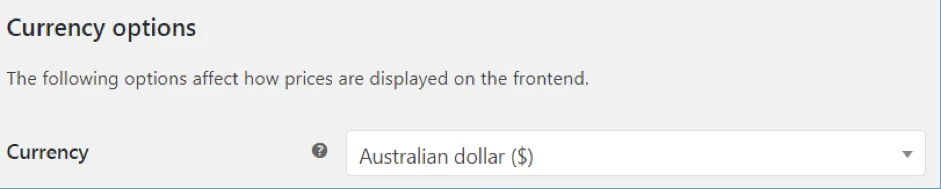
Please note that Store Currency must correspond to the Afterpay account region, which is USA only. To check this:
-
Navigate to: WordPress Admin > WooCommerce > Settings > General.
-
Under Currency options, the currency must be United States dollar.
Express Checkout is available in all supported countries with Version 3.1.0 and above.
Next Steps
Go ahead and install the Afterpay plugin; see the Install Plugin page for details.