

Getting Started
Afterpay migration
If you are an Afterpay merchant, see the Migration page for information on the Afterpay migration.Checkout Type
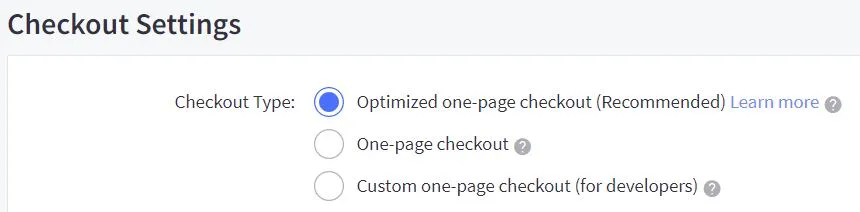
The BigCommerce Checkout Type must be an Optimized one-page checkout.
To ensure the checkout type is correct:
-
Go to: BigCommerce Control Panel> Advanced Settings > Checkout.
-
Under Checkout Settings, the Checkout Type must be: Optimized one-page checkout. See picture below.
Store Country
The Store Country must correspond to the Afterpay account region.
To ensure the store country is correct:
-
Go to: BigCommerce Control Panel > Store Setup > Store Profile.
-
Under Contact Information, the Store Country must be United States.
Next Steps
-
Next, you should Add a Payment Option.
-
When you’ve done that, make sure your customers are aware of the Afterpay by adding some Site Messaging.
Finally to attract lots of new customers, join the Afterpay Store Directory.