
For AI agents: a documentation index is available at the root level at /llms.txt and /llms-full.txt. Append /llms.txt to any URL for a page-level index, or .md for the markdown version of any page.
GuidesAPI Reference
GuidesAPI Reference
  • Welcome
    • Getting Started
    • Business Hub
    • Afterpay Migration
  • Platforms
    • Platforms Quickstart
    • Adobe Commerce (Magento)
    • Adyen
    • BigCommerce
    • Ecwid
    • PrestaShop
    • Salesforce Commerce Cloud
    • Shopify
    • Stripe
    • Wix
    • WooCommerce
  • Afterpay Messaging
    • Getting Started
    • Placement
    • Implementation
    • Migration
    • Older Messaging Information and Links
    • Launch Afterpay Info Modal Anywhere
  • API Development
    • API Quickstart
    • Test Environments
    • Certification
    • Disputes
    • Webhook Signature Generation
      • Express Checkout
        • Integrated Shipping
        • Deferred Shipping
        • Reference Information
      • Afterpay On File
      • Checkout Widget
  • SDK
    • SDK Migration Guide
    • iOS SDK
    • Android SDK
    • React Native SDK
  • Marketing
    • Shop Directory
    • Brand Assets
LogoLogo
On this page
  • Express checkout vs standard checkout
  • Standard checkout flow
  • Express checkout flow
  • Integrated shipping
  • Deferred shipping
  • Which one is right for you?
API DevelopmentAdditional Features

Introduction to express checkout

Was this page helpful?
Previous

Integrated Shipping

Next
Built with

Afterpay express checkout reduces the overall checkout steps on desktop and mobile so that your shoppers can complete their orders quickly.

Customers can check out directly from the shopping cart or product page, using their pre-filled Afterpay account information (name, shipping address, phone number, email) to complete their orders on your website.

Simply put, there are fewer checkout steps, leading to higher conversion.

Express checkout vs standard checkout

Standard checkout flow

With standard checkout, the customer proceeds through the checkout process as normal, selecting Afterpay as a payment option in your payments section.
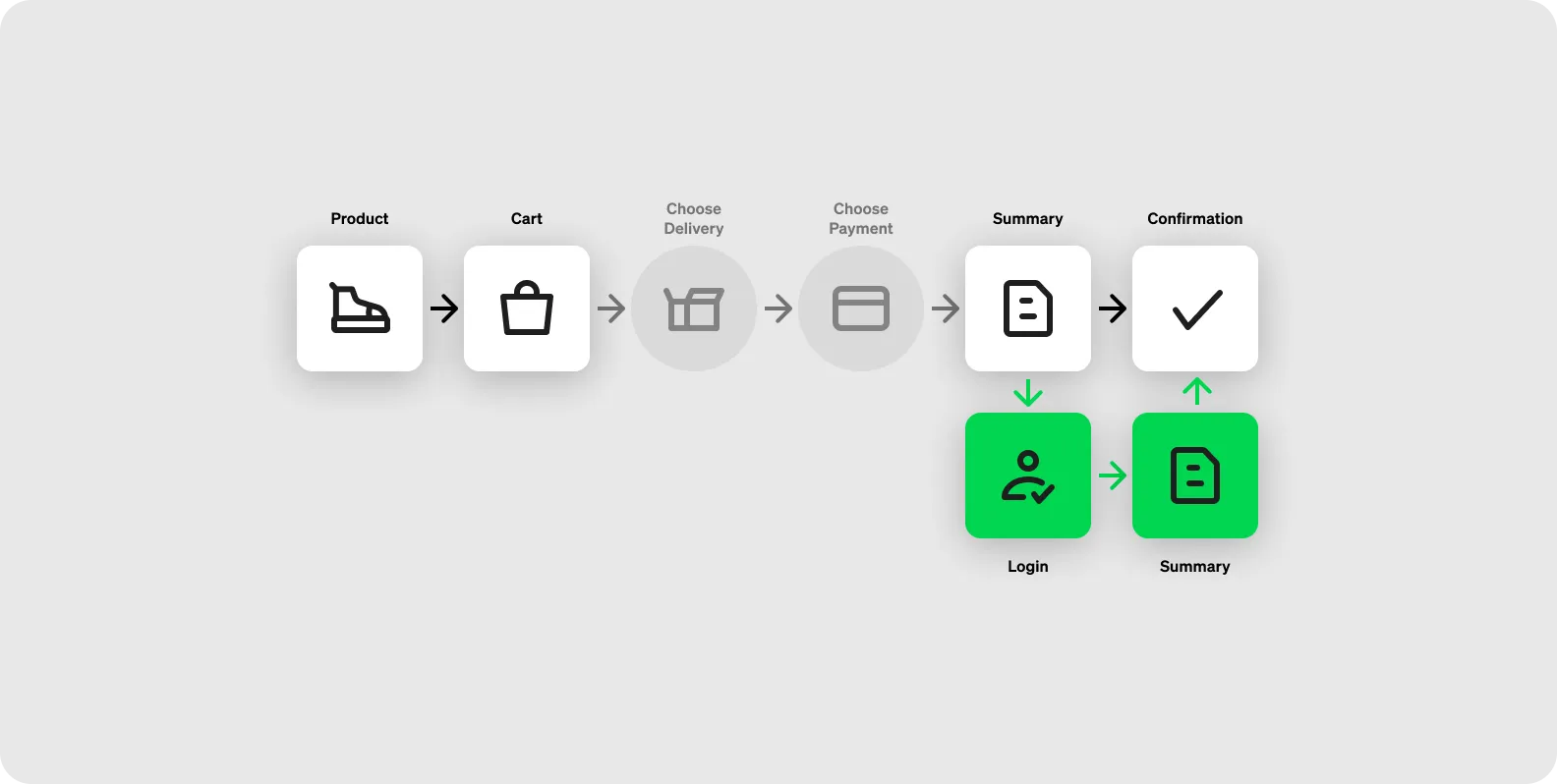
Checkout Flow - Standard.png

Express checkout flow

With express checkout, the customer can choose to ‘buy now with Afterpay’ on a product page, or shop for multiple items and choose to ‘checkout with Afterpay’ from the cart.
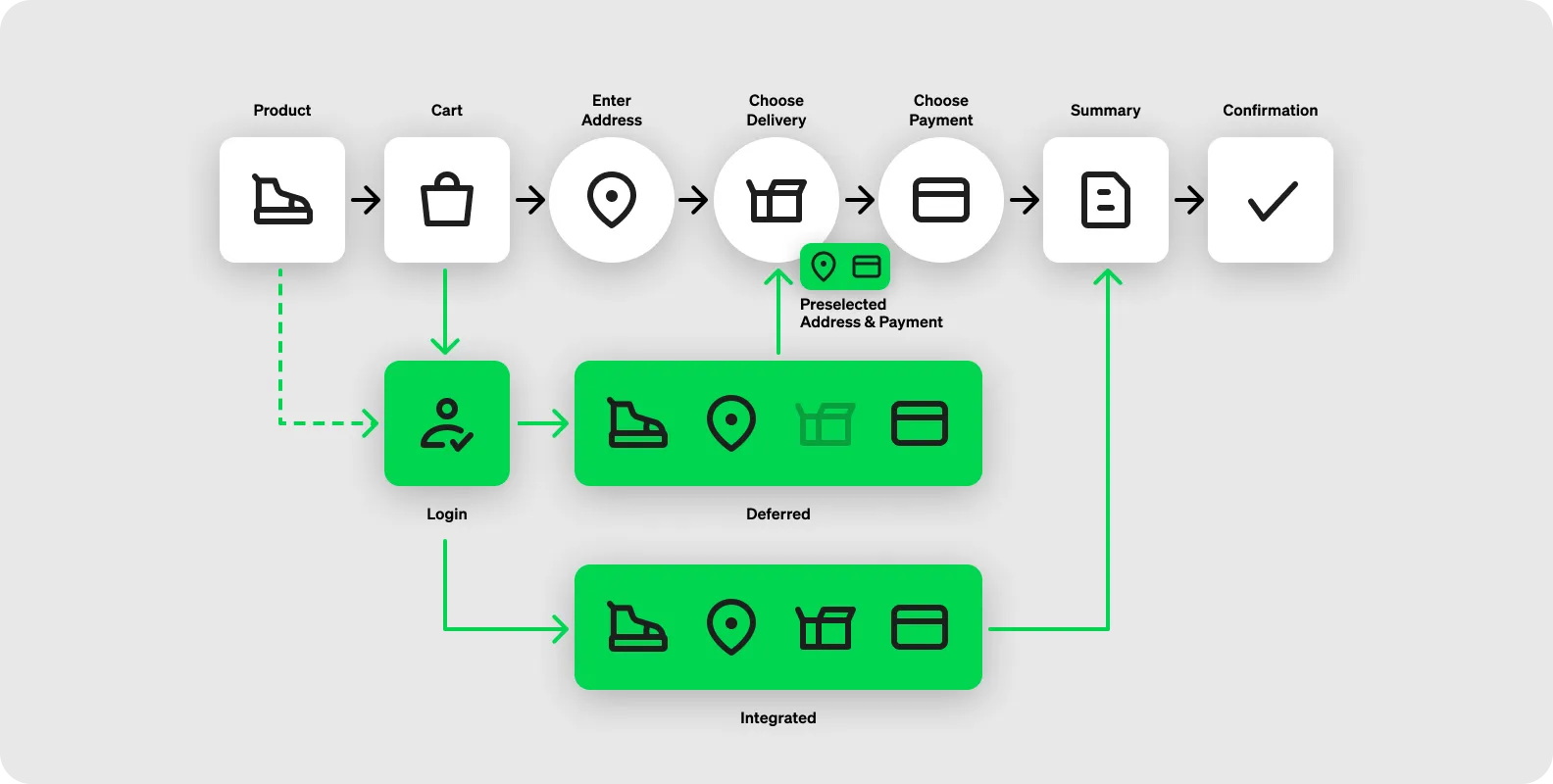
Checkout Flow - Express.png

There are two ways to implement express checkout:

Integrated shipping

Customers select delivery options inside the Afterpay checkout flow. The order is completed within Afterpay checkout.
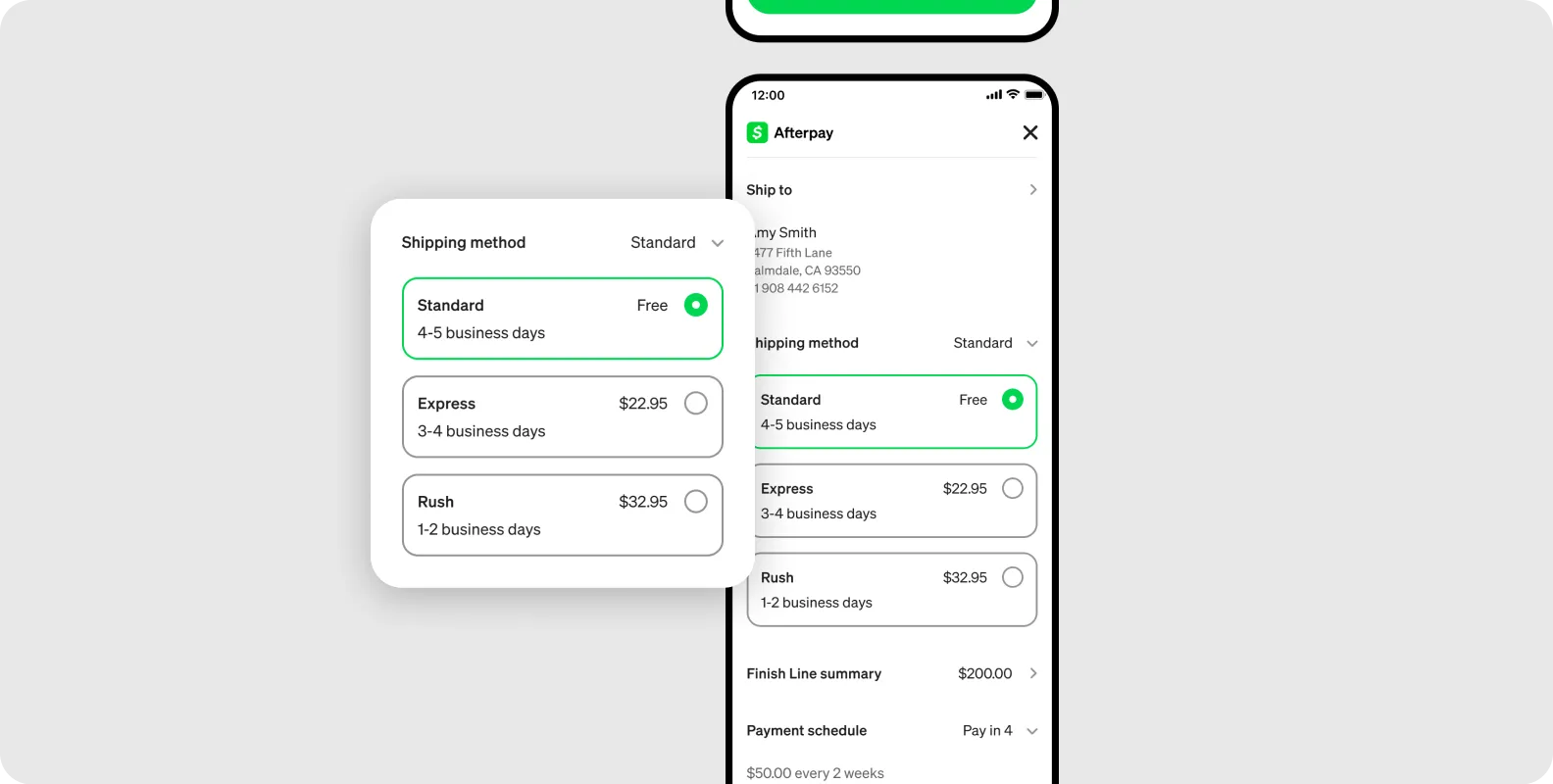
Integrated Shipping.png

Deferred shipping

The customer returns to your website’s checkout to select delivery options and complete their order.
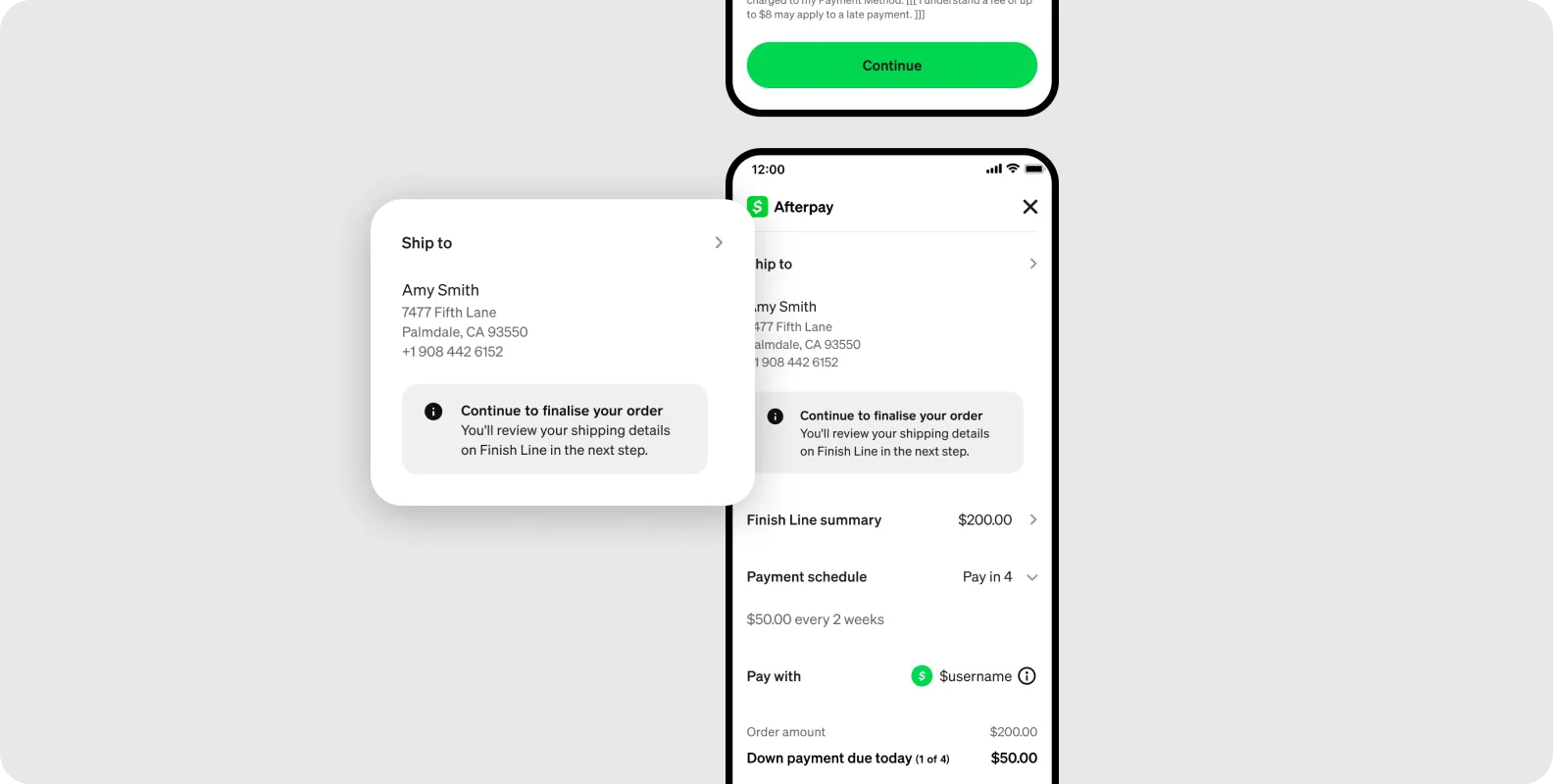
Deferred Shipping.png

Which one is right for you?

Integrated ShippingDeferred Shipping
Less than 5 shipping options5 or more shipping options
Simple shipping options (e.g. single option for whole order)Complex shipping options (e.g. individual options at SKU level)
Simple tiered shipping options (e.g. standard, express, rush)Customized shipping options (e.g., timeslot booking)
Click and collect pickup selection before checkout entryThird party click and collect pickup